How to Refresh Previously Deleted Podcast Episodes in iTunes
by
Doug
February 20, 2010
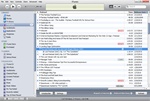
Shows only two podcasts available for The Lost Podcast with Jay and Jack.
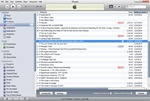
Toggle closed the Disclosure Triangle next to the podcast to hide the episode listing.
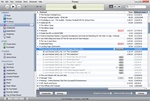
Hold down the Shift key (or Option key on a Mac), and toggle open the disclosure triangle to refresh the podcast episode listing.
Have you ever deleted an old podcast episode in iTunes and then wanted to re-download it? To get deleted podcast episodes to show up again in iTunes you could just delete your subscription to the particular podcast, and then resubscribe to the podcast for all the episodes to reappear, however there is an easier way to accomplish this without having to go through all the hoops of deleting and resubscribing to the podcast.
To get a refreshed list of previous podcast episodes that were removed from the podcast's episode listing in iTunes do the following:
- Open iTunes and in the left-hand menu click on Podcasts.
- Select the podcast that you want to refresh its episode listings and toggle (close) the grey disclosure triangle next to the podcast so the individual episodes are hidden.
- For Windows users, hold down the Shift key and toggle the disclosure triangle open. For Mac users, hold down the Option key and toggle the disclosure triangle open.
- You should now see a refreshed listing of available podcast episodes for the podcast.