How to fix Reporting Services permissions are insufficient for performing operation (rsAccessDenied)
Learn how to configure and access SQL Server Reporting Services reports when you get The permissions granted to user 'domain\username' are insufficient for performing this operation. (rsAccess
by
Doug
Updated May 24, 2021
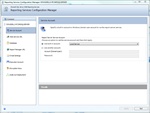
When using the Report Server on your local computer, you can use the Local Service, Local System or Network Service built-in account. All three accounts should give you access to http://localhost/reports when configured correctly.
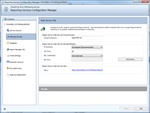
Here's the default Report Server Web Service Virtual Directory. You shouldn't need to make changes to it, in order to access http://localhost/reports
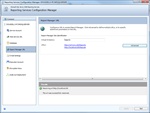
You will need to add the localhost Host Header URL to the Report Manager Site Identification, if you don't see it listed in the Report Manager URL page, otherwise you will get an error when trying to access: http://localhost/reports
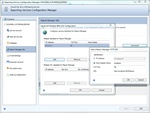
Add localhost Host Header Name to the Report Manager URL.
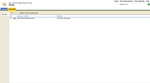
Click the SQL Server Reporting Services Properties tab from the Home page, to add your computers domain\username account to get access to the reports server.
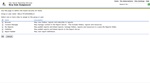
Add your computers 'domain\username' to a New Role Assignment in SQL Server Reporting Services and select all the appropiate roles for the group or user.
If you are getting the following error while trying to access or deploy a SQL Services Reporting Services (ssrs) report server on your localhost:
The permissions granted to user 'domain\username' are insufficient for performing this operation. (rsAccessDenied)
Here's what to do:
- Make sure you have access configured to the URL http://localhost/reports using the SQL Reporting Services Configuration. To do this:
- Open Reporting Services Configuration Manager -> then connect to the report server instance -> then click on Report Manager URL.
- In the Report Manager URL page, click the Advanced button -> then in the Multiple Identities for Report Manager, click Add.
- In the Add a Report Manager HTTP URL popup box, select Host Header and type in: localhost
- Click OK to save your changes.
- Now start/ run Internet Explorer using Run as Administator...
- NOTE: If you don't see the 'Site Settings' link in the top left corner while at http://localhost/reports it is probably because you aren't running IE as an Administator or you haven't assigned your computers 'domain\username' to the reporting services roles, see how to do this in the next few steps.
- Then go to: http://localhost/reports (you may have to login with your Computer's username and password)
- You should now be directed to the Home page of SQL Server Reporting Services here: http://localhost/Reports/Pages/Folder.aspx
- From the Home page, click the Properties tab, then click New Role Assignment
- In the Group or user name textbox, add the 'domain\username' which was in the error message (in my case, I added: DOUGDELL3-PC\DOUGDELL3 for the 'domain\username', in your case you can find the domain\username for your computer in the rsAccessDenied error message).
- Now check all the checkboxes; Browser, Content Manager, My Reports, Publisher, Report Builder, and then click OK.
- Your domain\username should now be assigned to the Roles that will give you access to deploy your reports to the Report Server. If you're using Visual Studio or SQL Server Business Intelligence Development Studio to deploy your reports to your local reports server, you should now be able to.
- Hopefully, that helps you solve your Reports Server rsAccessDenied error message...
Just to let you know this tutorial was done on a Windows 7 computer with SQL Server Reporting Services 2008.