How to Set a Field to Null In a Sql Server 2005 Result Set
Quickly set a field to null in a Sql Server database result set.
by
Doug
Updated January 29, 2009
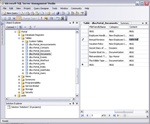
This image shows a field in the column named 'Content', just before being made NULL using CRTL-0.
If you ever wanted to change a field to null in a Sql Server 2005 Management Studio result set, you're in luck because there is a quick and easy way to do it.
In order to set a field to null, put your mouse cursor in the field that you would like null and hit CTRL-0. Now the field will have changed and you should now see null. This works as long as the field accepts null values.
You may also use CTRL-0 in Sql Server 2000 Enterprise Manager to change fields to null.