How to Export a Google Adwords Campaign
by
Doug
February 22, 2009
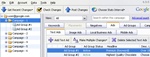
Google Adwords Editor makes it easy to Export your Campaigns, so that you can import it into another advertising network.
Google Adwords makes it extremely easy to export your Adwords Campaign into another advertising network. Google allows you to download an export .CSV file of your Adwords Account, Campaigns or Adgroups to your computer, which you can then easily upload into another Per Per Click advertising network like Microsoft Adcenter or Yahoo Search Marketing. To get started exporting your Google Adwords Campaigns, make sure you have Google Adwords Editor installed on your computer, and then follow the steps below:
- Open Google Adwords Editor and log into your account
- Now click on 'Get Recent Changes' and select 'Basic (faster)...' to make sure you have downloaded an updated copy of your Adwords Account to Adwords Editor.
- Click on the 'File' Menu > and select 'Export Spreadsheet (CSV)'. Note: You will have the option to Export Whole Account, Export Selected Campaigns and Ad Groups, Export Current Campaign, Export Current Ad Group, or Export Current View. (For this example we will select 'Export Current Campaign')
- Select 'Export Current Campaign' and save the Campaign export .csv file to your computer.
- That's it!...
You now have your Campaign export .csv file which can then be used to Import/ upload the Campaign into another PPC advertising network. The campaign .csv file can also be viewed in Microsoft Excel.