How to Change Your Xbox Live Gamertag
by
Doug
Updated January 16, 2010
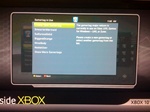
Create a new Xbox LIVE Gamertag at a cost of 800 points.
Don't like your Xbox Live Gamertag...? You can easily get a new Xbox identity to better reflect who you are in the Xbox LIVE community, but it will cost you 800 Points to make the gamertag switch. Also keep in mind that changing your Gamertag will not change your Xbox LIVE reputation, stats, or any other profile settings. Here's how to go about creating a new Gamertag.
- Start your Xbox 360 console and go to the "My Xbox" channel.
- Highlight your gamertag card and select "A" button on your controller.
- Go to "Edit Profile" and the select "Gamertag".
- Choose "Continue" on the Change Gamertag screen.
- Now type in your new Gamertag that you'd like to use and choose "Done".
If the new Gamertag you picked is already in use, it will prompt you to create a new gamertag or select another gamertag from the list.